
Troubleshooting for QC Status is a page dedicated to help you solve issues related to page restrictions that may affect your experience with our app.
The “QC Status for Confluence Cloud” app does not have permissions to access the page with id xxx
That means that the app does not have permissions to View, and Edit the page, because the page has Restrictions.
This can be fixed by asking the page owner to give explicit permissions to the QC Status for Confluence Cloud app to access this particular page.
Troubleshooting
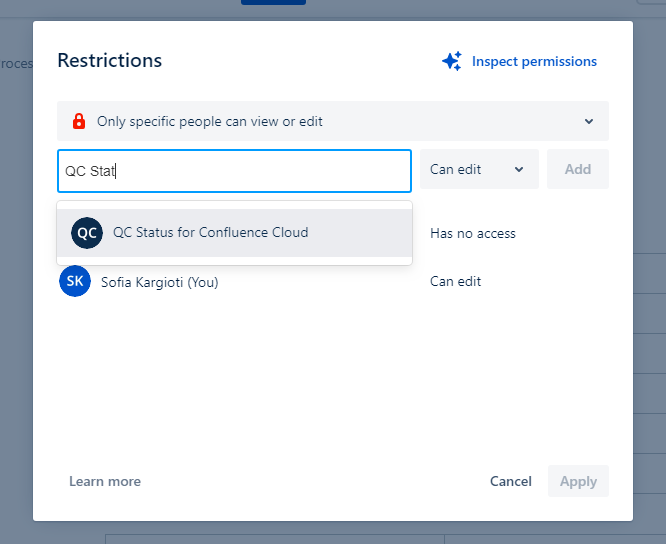
To give explicit permissions to the app so it has access at that particular page, the page owner should follow the steps listed below:
-
Click on the page restrictions

-
From the dialog, type and select the add-on’s name e.g. “QC Status“. The app will need to have both View and Edit permissions
-
Click Add and then Apply and you’re done!
If you still have any issues please contact us.