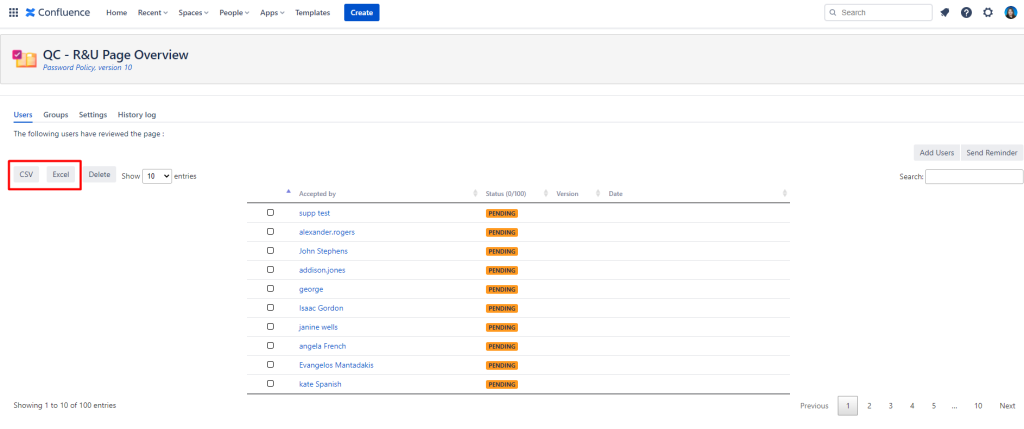
Using the QC Read & Understood for Confluence Cloud app the user can export document pages for their personal back up folder. Please read below to see how someone can export content from Confluence Cloud.
At space level
-
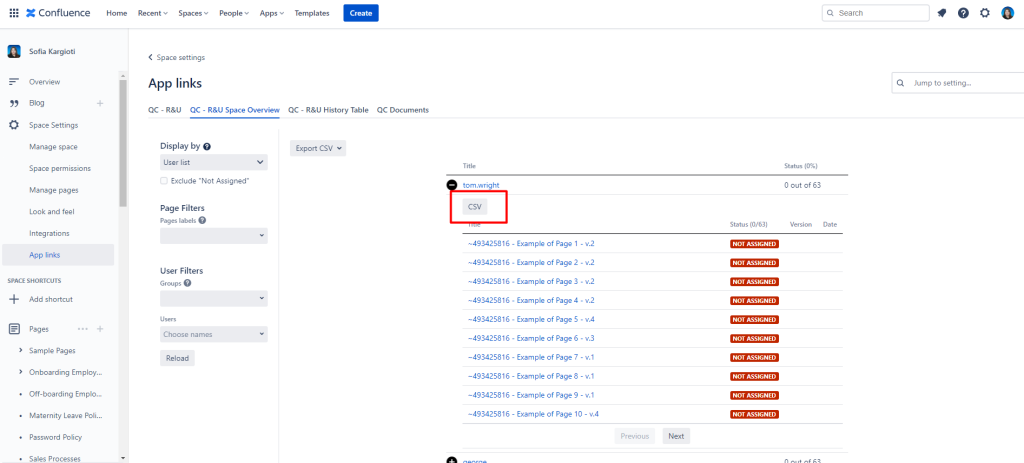
Navigate to Space Settings
-
Click Add-ons and select the QC R&U Space Overview tab
-
From there you can choose between exporting a CSV file with just the main table or the full list

You can also download a CSV file of each child table:
At site level
To export your Confluence documents as PDF or CSV files at site level, follow the steps below:
-
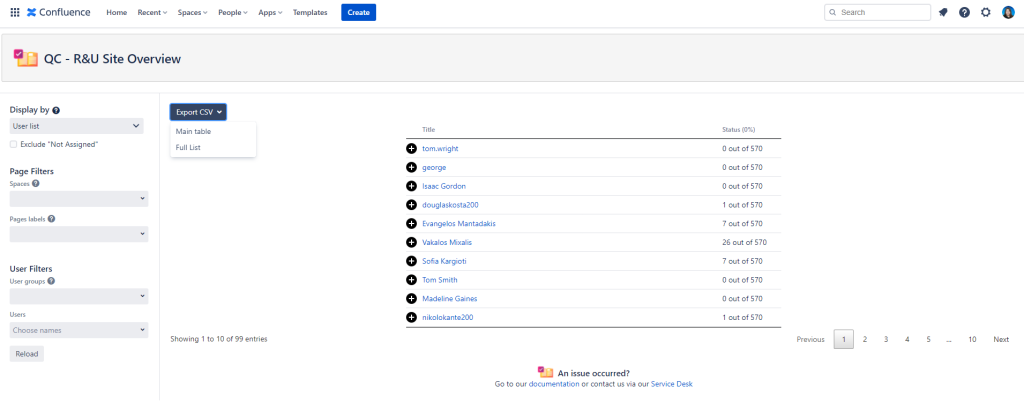
Click on Apps and select QC R&U Site Overview
-
From there you can choose between exporting a CSV file with just the main table or the full list
-
Done!
Here, as well, you can also download a CSV file of each child table:

At page level
-
Click the three dots on the upper right corner of your screen
-
Navigate to QC R&U Page Overview and
-
Download a CSV or an Excel file of your Confluence page.