
Page Level
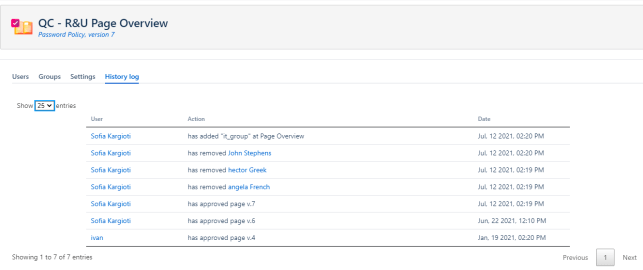
To see the historic table of actions done on page level you simply go to QC R&U Page Overview → History log.
Actions that get recorded on page level are:
-
user was added to a page, who added them and when,
-
a user was removed from a page, who removed them and when,
-
a user reviewed a page, when did they review it, and
-
who changed the page overview settings.
Space Level
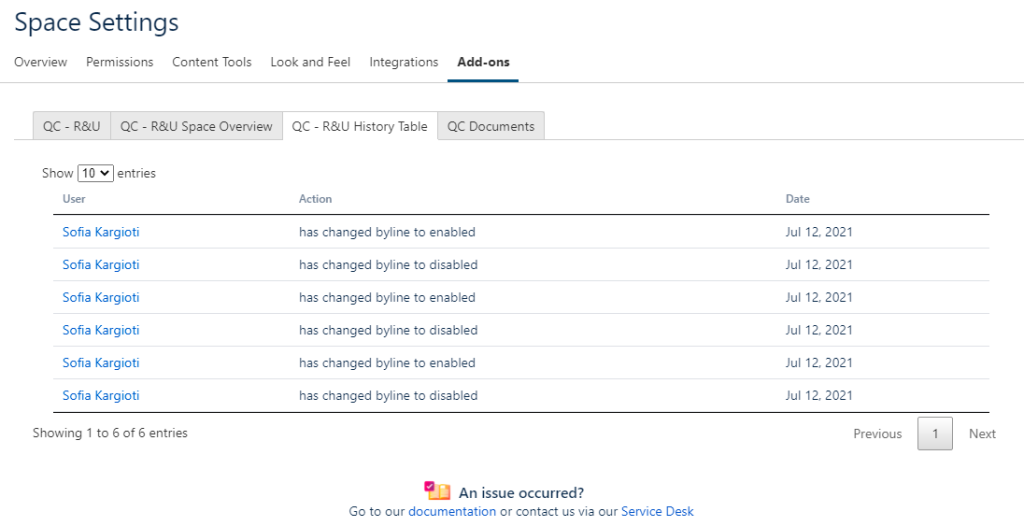
To see the historic table of actions done on space level you simply go to Space Settings → Add-ons → QC R&U History Table.
Actions that get recorded on space level are:
-
who enabled/disabled the byline dialog.
The feature can only record new actions. Older actions won’t show on the table.