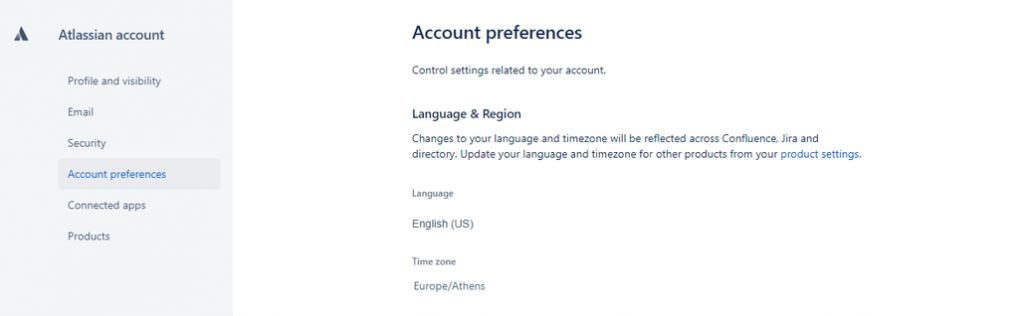
This page is dedicated to helping you set your preferred timezone before exporting your content or even before starting to use our QC Read & Understood app.
At space level
To manage your timezone at space level:
-
Go to Space Settings> Add-ons> QC R&U>Date settings
-
Select the format of the displayed date on the macro’s table
-
Define your local timezone displayed on the PDF, before exporting
-
Click Update
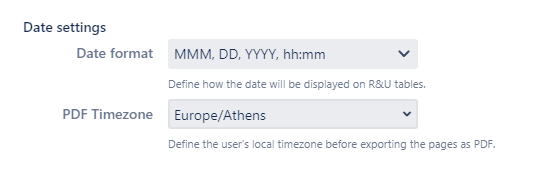
When you use a macro incorporating read and understood data from several spaces with different default date formats, the macro will show the defined date format in the space of which the macro is in use.
At profile level
To change the timezone at profile level:
-
Click your profile icon on the upper right corner
-
Select Profile >Manage your account
-
From the left side menu choose Account preferences.