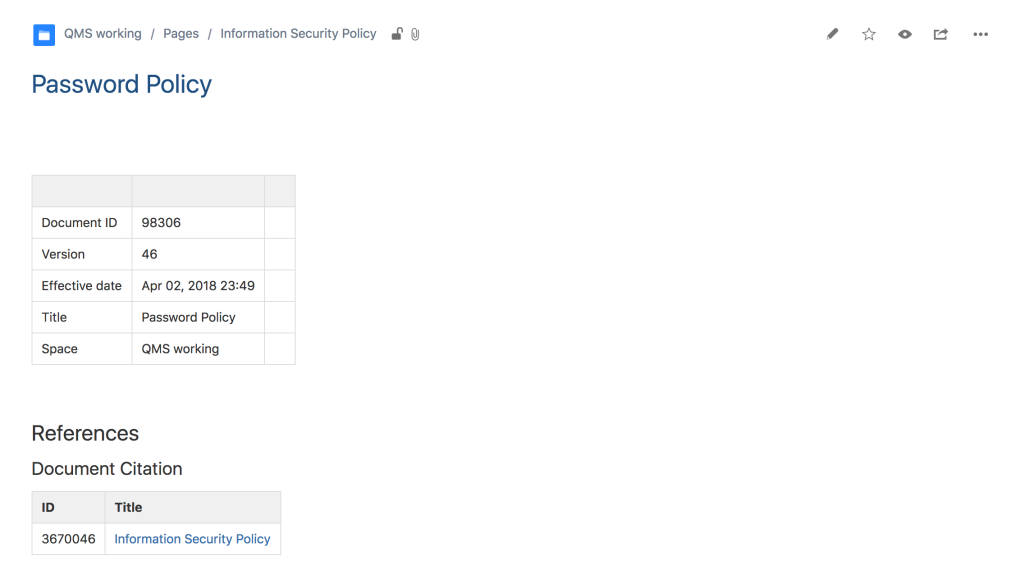
Getting Started with QC Documents page will get you through the very first basic steps you need to follow right after installing our app.
QC Documents for Confluence Cloud is a Confluence app available from the Atlassian marketplace that enables you to print out quality control (QC) elements of the wiki pages.
Installation
The app can be installed from the Atlassian Marketplace and is only available for Confluence Cloud instances.
You can install the app from the Atlassian Marketplace by clicking the “Try it free” button and selecting the Confluence site to which you are going to use it, or you can follow the steps below to install directly through your instance’s UI.
-
Open the “Apps” menu in the left sidebar
-
Select the “Explore more apps” option
-
Search for “QC Documents”
-
Click “Try it free” to install it on your site.
Configuration
Site Level Configuration
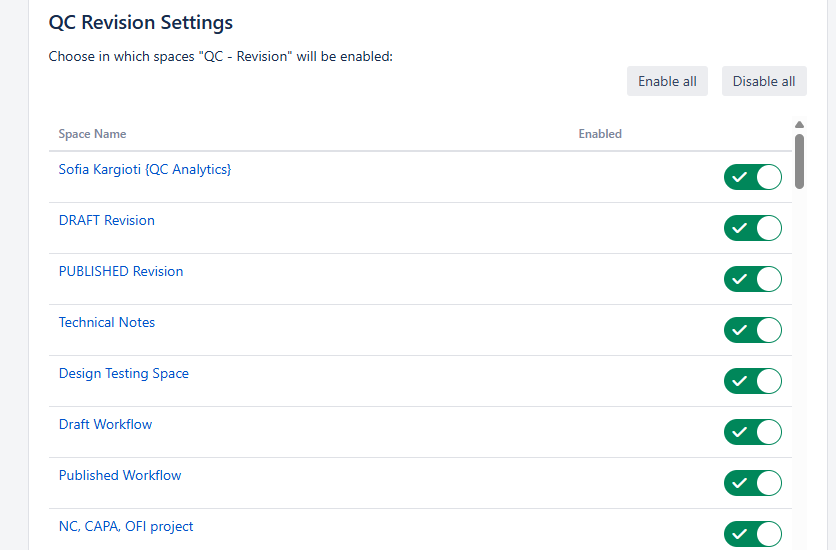
At site level, you are able to enable/disable the QC Revision dialog across all your Spaces.
To control the QC Revision dialog display in all spaces or in some, follow the steps:
-
As a site administrator, click on Confluence administration (gear icon at the top right corner)
-
From the Configuration section, click on QC Documents Site Admin
-
Select from the list in which spaces you would like to enable the app.
Space Level Configuration
-
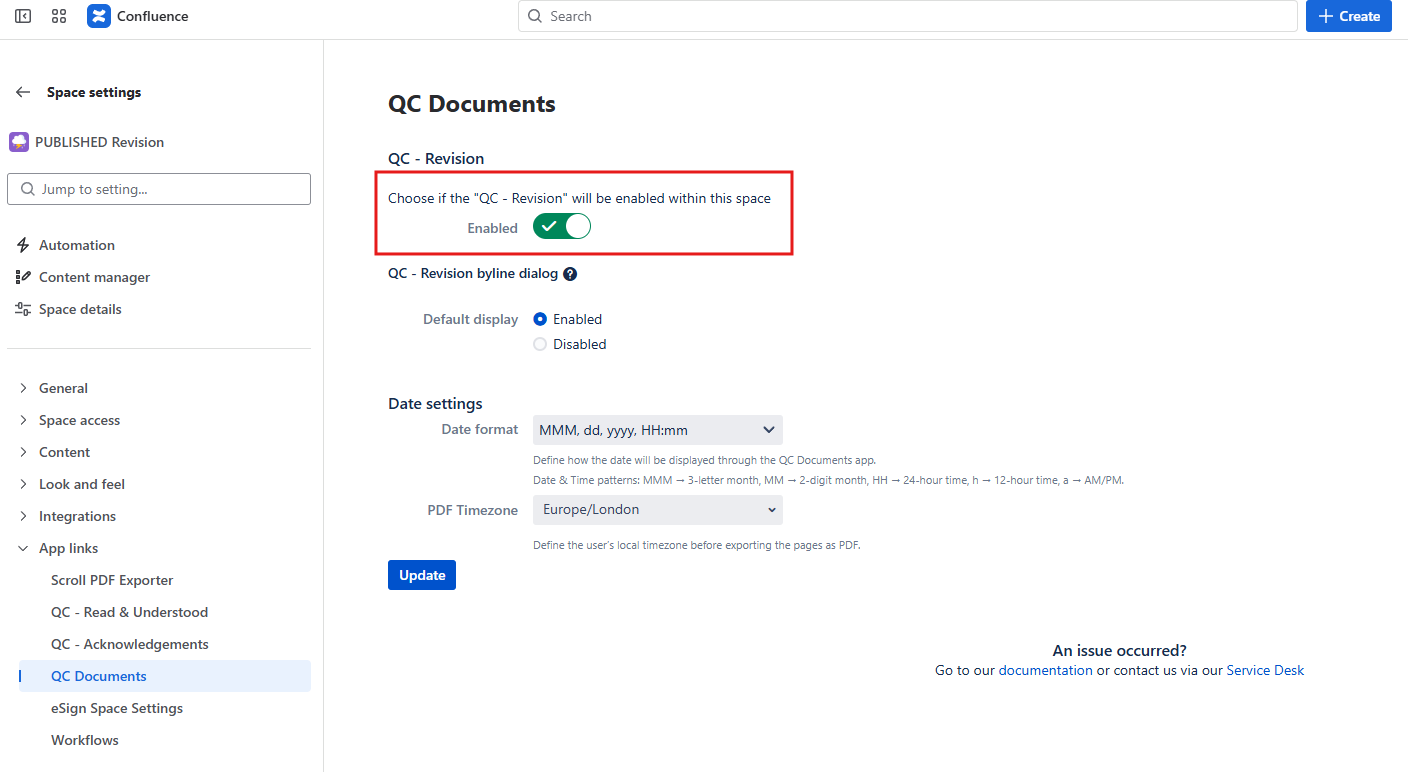
Click on Space settings
-
From the Apps links menu, select the QC Documents option
-
Enable or disable the app by changing the green toggle labeled as “Enabled”
Page Level Configuration
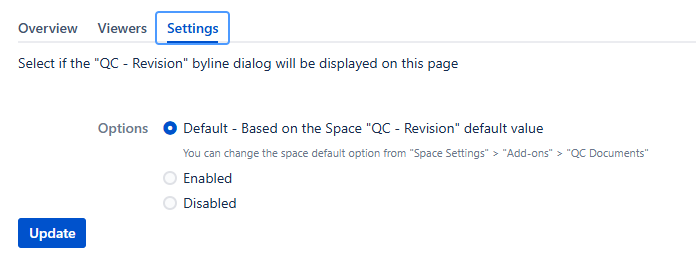
Choose to enable or disable the QC Revision dialog on a specific page by following the steps:
-
Click on the More actions (three dots in the top right corner of your page)
-
From the Apps menu, select the QC Page Revision Overview
-
Navigate to the Settings tab
-
Here you have three options:
-
Set Revision to “Default”: The QC Revision dialog will be configured according to your space settings. If the app is enabled at space level, it will also be enabled at your page.
-
Set Revision to “Enabled”: No matter what you’ve selected in your Space settings, the app will always be enabled in this page.
-
Set Revision to “Disabled”: No matter what you’ve selected in your Space settings, the app will always be disabled in this page.
-
Usage
With the QC Documents for Confluence Cloud app the user can print out quality control elements of the pages.
The latest versions of QC Documents enable the users to assign a QC Revision Value to any page using the Confluence Cloud.
We added the possibility to add multiple QC Revision Values and assign them to a confluence version.
By using the QC Documents for Confluence Cloud app you are able to create your document template based on your business needs.